Lumo translates, polishes, and summarizes text from the menu bar, a global shortcut, the clipboard, on-screen OCR, or PopClip. Bring your own API key — or run Apple's on-device model with none; provider settings stay on your Mac.
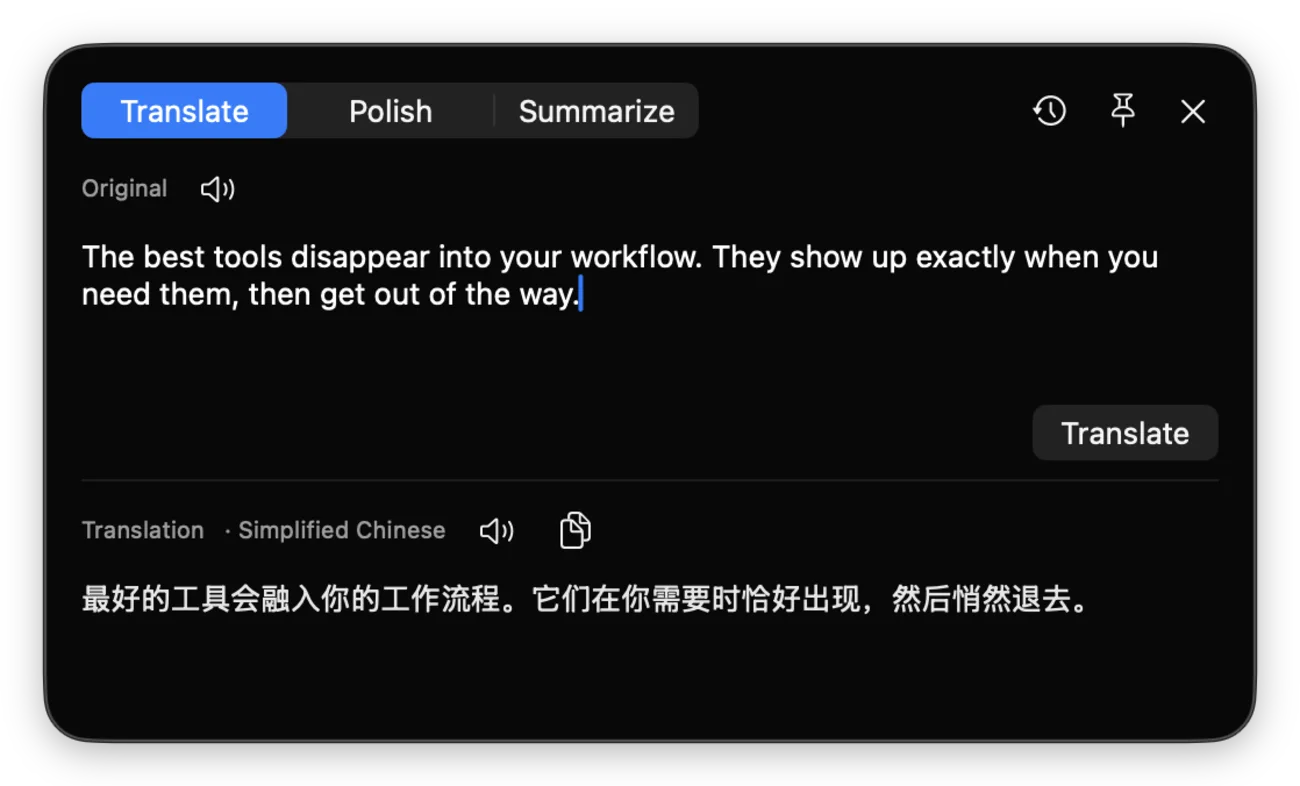
One menu-bar app does the heavy lifting — providers, streaming, history, and speech — while each entry point stays fast.
Translate, polish, or summarize text from the app window, clipboard, shortcut flow, on-screen OCR, or selected text. Point Lumo at OpenAI, Claude, DeepSeek, local Ollama, any OpenAI-compatible endpoint, or Apple's on-device model — no API key required.
Drag a box over anything on screen — a PDF, a video frame, an image, a window that won't let you select — and Lumo reads it with Apple's on-device Vision engine, then drops the text straight into translate, polish, or summarize. Tuned for mixed Chinese and English, and nothing ever leaves your Mac.
Server-Sent Events render the answer token by token — no spinner-and-wait.
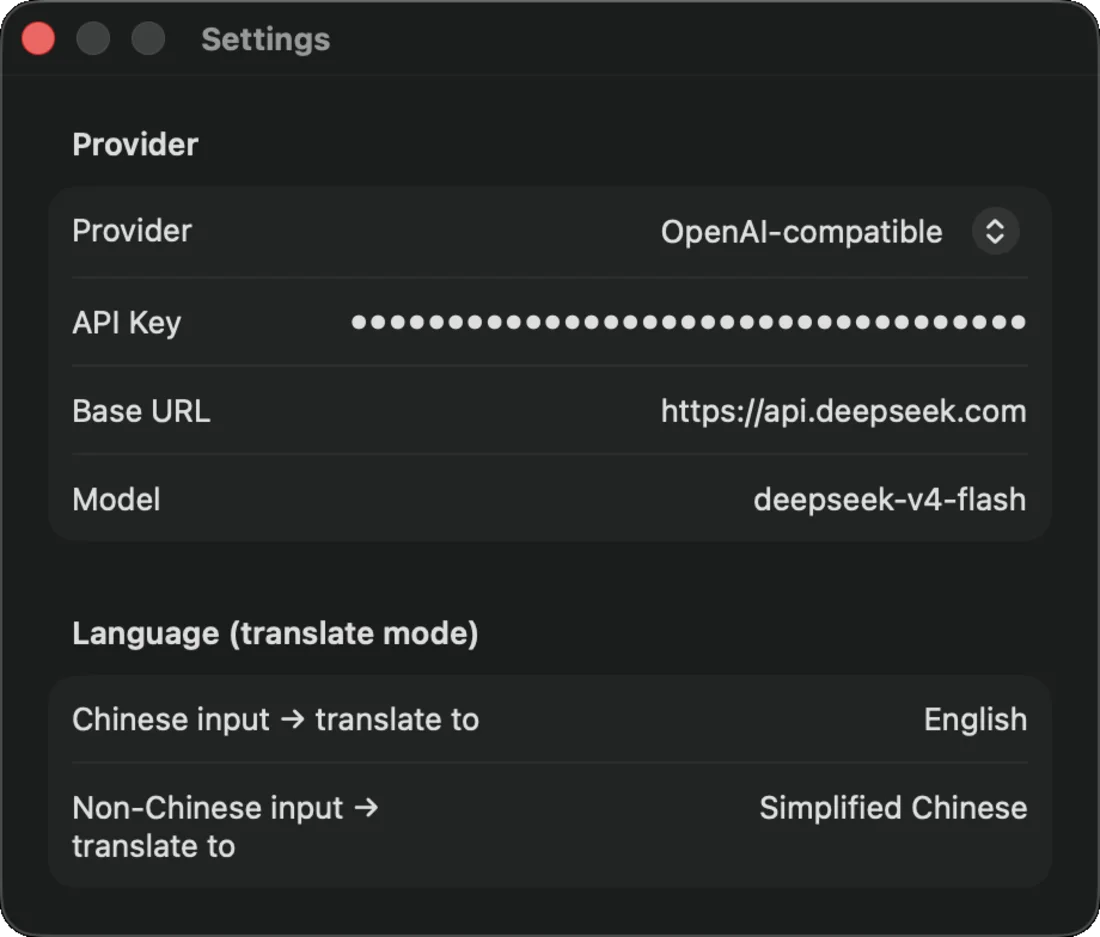
Detects whether the input is Chinese and flips the translation direction. Both ends configurable.
Every result is saved to a searchable master–detail browser you can revisit anytime.
Built-in text-to-speech voices the original or the result on demand.
Runs as LSUIElement — no Dock icon, no window clutter. It's there when you call it.
Sparkle checks in the background and installs new versions in place — verified by signature.
Lumo is useful as a standalone app first, with PopClip as an optional fast path for selected text.
Use the menu bar, assign a global shortcut, or open an empty window when you want to work from the clipboard.
Paste or type text directly, press Tab to use the clipboard, grab on-screen text with OCR, or tap 翻译, 润色, or 总结 from PopClip.
The app opens with the answer streaming in — saved to history, ready to copy or hear aloud.
Install the app first. PopClip is optional; Sparkle handles updates after the first launch.
Download Lumo.zip, unzip it, and move Lumo.app to /Applications. Clear the quarantine flag once:
xattr -dr com.apple.quarantine /Applications/Lumo.app
It launches into the menu bar — look up top, not in the Dock. From then on Sparkle keeps it current.
Open Lumo from the menu bar and set your provider, model, API key, translation languages, and optional global shortcut in Settings.
Use OpenAI, Claude, DeepSeek, local Ollama, another OpenAI-compatible endpoint, or Apple's on-device model (no API key).
If you use PopClip, install Lumo.popclipext to send selected text to Lumo in one click. The extension is only a trigger; Lumo.app still handles providers, streaming, history, and speech.
Requirements: macOS 26.0+ · an API key for your chosen LLM provider · PopClip optional
